
Your trusted platform for link management, elevated QR code
experiences, and dynamic Link-in-Bio solutions.
"The customizable the QR Codes & shortlinks are ideal for creating professional, branded links, Highly recommend!"

Dennis, Xtremeict
No credit card required
Changing the name of your Link-in-bio link on Divsly is a simple process. Here's how you can do it:
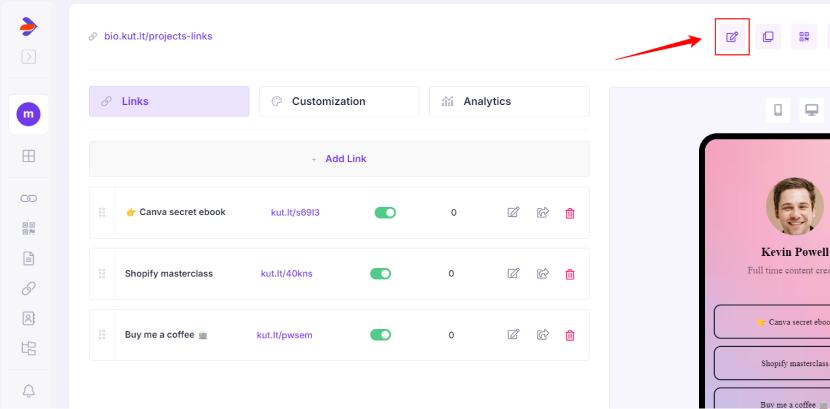
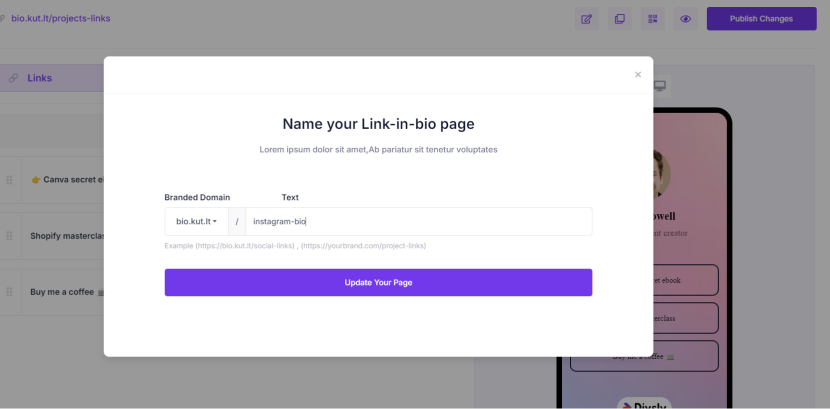
By following these steps, you can easily change the name of your Link-in-bio link, ensuring it reflects your desired branding or purpose.


